Chatbot AI - Chat & Ask AI
- 4.5
- Rating
- 10.00M
- Installs
- Free
- Price

 Analysis by App-foxy
I approached Chatbot AI - Chat & Ask AI as a practical productivity assistant rather than as a replacement for every app on my phone. Its appeal is straightforward: I can ask questions, work through ideas, request help with writing, and explore image creation from one interface. The app is free to start, is suitable for everyone, and comes from Newway Apps. It has also reached over 10 million installs with a 4.5 average from around 92 thousand ratings, so it is clearly more than an experimental tool that only a small group has tried.
What matters to me, however, is not popularity alone. An AI app can be useful and still deserve careful handling when I am sharing personal notes, work material, photographs, or private questions. My experience with this app is best summed up this way: it is convenient for quick thinking and creative tasks, but I get the most value when I treat it as an assistant whose answers need checking, not as an authority. The broad feature set is attractive, while the need to make sensible choices about what I type remains important.
How the app earns trust before I rely on it
The first thing I noticed is that the app is positioned as an all-in-one AI workspace. Instead of opening a search engine for one question, a writing tool for another, and an image generator for a third task, I can keep those requests in the same conversation flow. That makes it particularly comfortable for small jobs that would otherwise involve copying text between several services.
You May Also Like

 Blood Strike: 2.5 Anniversary
Blood Strike’s Loadouts Turn Every Drop Into a Tactical Gamble
A close look at Blood Strike’s custom loadouts: how fast access to signature weapons reshapes its battle royale rhythm, rewards preparation, and narrows the gap between fights.

 Pandora - Music & Podcasts
Pandora’s Music Is Easy to Start, but Harder to Recover
Pandora’s strength is its low-effort path from a seed to a station. Its weak spot is how much confidence it asks you to place in connection, setup, and quiet recovery.

 8 Ball Pool
 Is Built on Rivalries, Rematches, and Routine
A close look at the rivalries, rematches, shared routines, and unanswered safety questions that turn a quick pool match into a persistent mobile community.

 Samsung Music
’s Quiet Strength Is Playing What You Already Own
Its reach comes less from spectacle than from dependable access to a personal library. That simplicity is both the app’s strongest retention engine and its ceiling.

 AccuWeather: Weather Radar
AccuWeather Review: A Quick, Clear Forecast for Everyday Decisions
For everyday plans, the best forecast is the one you can understand quickly. AccuWeather makes rain timing, radar, and local conditions easy to act on, with a few trade-offs.

 Hill Climb Racing
Why Hill Climb Racing Still Turns Crashes Into One More Run
A tiny car, a bumpy hill and one more upgrade: Hill Climb Racing keeps resurfacing because its simple chaos makes every near-miss feel personal.
More From Our News Desk
View All News


For example, I might ask for a plain-language explanation of a technical subject, follow it with a request for a short email, and then ask for visual ideas related to the same topic. This continuity is more useful than simply having many buttons. It lets me develop an idea gradually, although I still check whether the answer has stayed focused after several follow-up prompts.
The app belongs in the productivity category, but I would not describe it as a conventional task manager, calendar, or document editor. It helps me think, draft, summarize, brainstorm, and explore. That distinction is important if you are looking for reminders, project boards, or detailed offline organization. In those situations, a dedicated productivity app will usually be more precise.
Newway Apps has released the current version, 10.6.9, and the application supports Android 6.0 and later. That broad compatibility makes it accessible on older devices, but compatibility should not be confused with identical performance everywhere. AI conversations and image generation can feel more comfortable on a recent phone with a good connection, especially when I am working with longer prompts or several revisions.
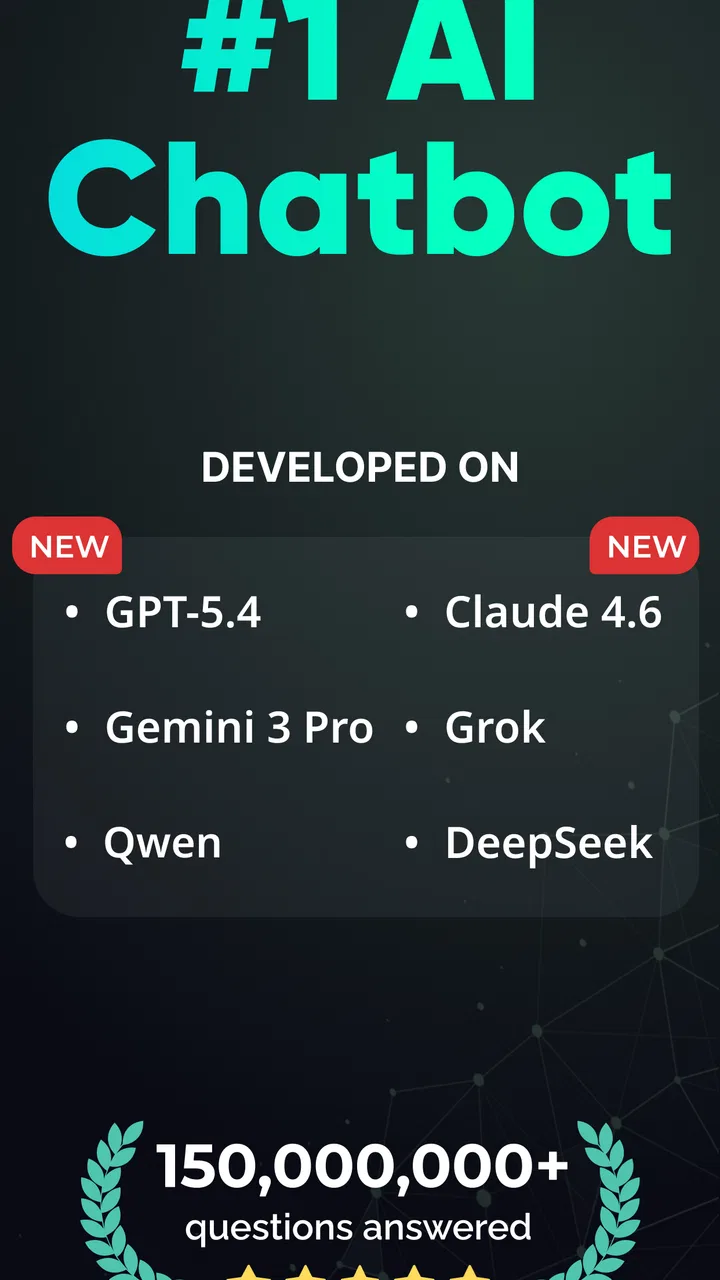
The store summary highlights deep search assistance, image generation, and multiple AI models. In daily use, I see those as different working modes rather than one magical answer engine. A search-oriented request is useful when I need a starting point or a compact explanation. A creative prompt is better for exploring possibilities. A writing request works best when I provide the audience, tone, length, and purpose instead of asking for something vague.
The most trustworthy way to use Chatbot AI is to keep control of the question, the context, and the final decision. I do not paste sensitive material simply because the app can process it, and I do not assume a confident answer is automatically correct. This approach does not make the app less useful; it makes its strengths easier to recognize.
What the free starting point really means for everyday use
The app is free, which removes the biggest barrier to trying its basic workflow. I can install it and decide whether its style suits me before committing money. There are in-app purchases ranging from $0.99 to $59.99 per item, so I would pay attention to any upgrade screen and read the wording carefully before confirming anything.
That pricing structure creates a practical trade-off. Casual users who only need occasional answers may be perfectly satisfied with the free entry point, while frequent users may encounter reasons to consider paid access. I would not upgrade merely because a response takes an extra attempt. I would first test the app with the kinds of prompts I actually use, then decide whether the additional option solves a real problem.
Because the app presents itself as a chatbot, the first session can feel deceptively simple. The better results come from treating each request like a small brief. Instead of writing “make this better,” I get more useful work by saying what “better” means: friendlier, shorter, more persuasive, easier for a beginner, or suitable for a particular format.
I also recommend separating brainstorming from fact checking. During the first pass, I let the assistant produce alternatives quickly. During the second pass, I ask it to organize the strongest ideas and identify points that need verification. I still verify important claims independently, especially when the answer could affect money, health, work, school, or another person.
Where user choices matter most
AI tools invite users to share more context because context often improves the response. That is useful, but it creates a moment where convenience and caution meet. Before sending a prompt, I ask whether the assistant needs the real name, exact address, private correspondence, account details, or identifiable document. Often it does not. I can replace those details with neutral labels and still receive help with structure or wording.
This is especially relevant when using the app for writing. If I want help improving a complaint letter, I can remove order numbers, phone numbers, and personal names before asking for a clearer version. If I need to summarize meeting notes, I can describe participants by role rather than copying every identifying detail. The app can still help with tone, structure, and action points without receiving the full original record.
For image generation, I take the same approach. I avoid treating a personal photograph as harmless source material simply because the desired result is playful. I prefer to use a general description when an identifiable person is not essential to the idea. That keeps the creative experiment separate from information I would not want casually reused or stored elsewhere.
I also look at the conversation itself before moving on. A long chat can collect more context than I intended, particularly when I keep correcting the assistant. Starting a fresh conversation for an unrelated subject is a simple habit that helps me avoid mixing work, personal planning, and creative experiments in one thread.
Account controls and visible user choices deserve attention whenever they appear during setup or use. I read permission prompts instead of approving everything automatically, and I check any account or subscription screen before continuing. If a feature asks for access that does not seem necessary for my immediate task, I pause and decide whether I can proceed without granting it.
I do not treat the presence of a control as proof that all future handling is risk-free. Controls give me choices, but good privacy decisions still depend on what I submit. My rule is simple: I use the least personal context that can produce a useful answer, and I keep original sensitive files outside the conversation unless there is a clear reason to include them.
Real workflows where the assistant feels worthwhile
One realistic use is preparing for a difficult conversation. I can describe the situation without identifying the people involved, ask for several calm ways to phrase my point, and then request a shorter version that sounds natural when spoken aloud. The value is not that the app knows the relationship better than I do. The value is that it helps me see alternative wording before I act.
Another useful workflow is turning a rough idea into a small plan. I might start with a paragraph of scattered thoughts, ask the chatbot to group them, then request a sequence of next steps with likely obstacles. I still choose the priorities, but the assistant reduces the friction of organizing the first draft. This is where it feels more productive than searching separately for articles about every part of the problem.
For study, I find it more useful as a question generator than as a source to copy. After reading a subject, I can ask for practice questions at different difficulty levels, request an explanation of a confusing term, and then try to answer without looking back. If the app produces an incorrect explanation, that mistake becomes obvious when I compare it with a textbook or trusted reference, which is why I would not use it as the only study source.
Image generation adds a different kind of value. I can use it to explore a mood, a color direction, or a rough visual concept before deciding what I actually want to make. The important trade-off is that fast visual exploration is not the same as professional art direction. If I need exact branding, predictable typography, precise product details, or repeatable character consistency, a specialized design workflow is likely a better choice.
One non-obvious tip is to ask for a critique of the prompt before asking for the final result. If I want a poster concept, I can first ask what information is missing from my description, then revise the request. This two-step approach often gives me more control than repeatedly asking for another output without understanding why the first one missed the target.
A second useful habit is to request alternatives with explicit differences. Rather than asking for five random versions of an email, I can ask for one warm version, one direct version, and one very brief version. The comparison becomes meaningful, and I can select the tone instead of sorting through variations that all sound alike.
A third is to use the chatbot as a compression tool before using it as a creation tool. I can first turn a long set of notes into key points, then use only those points to draft a message or plan. That makes the task easier to review and reduces the chance that irrelevant details from the original material will influence the final response.
Where it falls short compared with familiar alternatives
Compared with a normal search engine, Chatbot AI is more conversational. I can ask a follow-up question without rebuilding the whole search, and I can request a different explanation when the first one is too technical. The weakness is that a fluent response can hide uncertainty. Search results at least encourage me to compare sources, while a chatbot may present a single answer that sounds complete even when it needs checking.
Compared with a dedicated note-taking app, it is better at transforming text than storing a carefully structured personal knowledge base. I would use it to clean up notes or generate an outline, then move the result into a tool designed for long-term organization. Compared with a dedicated image app, it is convenient for quick ideas but less suitable when I need fine control over every visual element.
Compared with a human editor, tutor, or colleague, the app is available for rapid iteration and does not make me feel awkward about asking basic questions. It also lacks real responsibility and personal understanding. I would welcome its suggestions, but I would not let it make a sensitive decision for me or replace a qualified person in a situation where expertise matters.
Another limitation is that “all-in-one” can mean “good enough in several areas” rather than “best in every area.” I appreciate not having to switch apps for a quick draft and an image idea, but users with specialized needs may prefer separate tools. The more exact the requirement, the more likely I am to choose a focused alternative after using this app for the initial exploration.
People who dislike reviewing AI output should probably skip it. The app is not a good fit if you want every answer to be automatically reliable, if you need a strict record of sources for every claim, or if you are uncomfortable making decisions about what information to share. It is also less compelling for someone who only wants a traditional checklist, calendar, or offline notes system.
My cautious recommendation after using it
I see Chatbot AI - Chat & Ask AI as a flexible first stop for questions, drafts, study prompts, planning ideas, and visual experimentation. Its free availability makes testing straightforward, and the combination of conversational help, deep search assistance, image generation, and multiple models gives it more range than a basic chatbot. The Everyone age rating also makes its general positioning approachable, although age suitability does not remove the need for sensible supervision and careful sharing in real-world use.
The app has a substantial audience, with more than 10 million installs and hundreds of reviews alongside its rating. Those figures tell me that the concept has broad appeal, but they do not decide whether it belongs on your phone. The deciding question is whether you want a general-purpose assistant and are willing to check its work, refine your prompts, and manage your own boundaries.
My recommendation is strongest for curious users who want to turn rough thoughts into usable drafts, explore questions conversationally, or test visual ideas without opening several separate tools. I would start with ordinary, low-risk tasks, observe how well the responses match my needs, and only then consider any paid option. I would also review every purchase screen carefully because the free label and the available in-app purchases serve different expectations.
For sensitive documents, high-stakes advice, exact professional design, or dependable long-term organization, I would choose a more specialized solution or use this app only as a preliminary assistant. Used with that boundary, it feels practical rather than overpromising. My final view is cautiously positive: Chatbot AI is worth trying for flexible productivity, provided I remain the person responsible for the information I share and the decisions I make.
FAQs for Chatbot AI - Chat & Ask AI
01What is Chatbot AI - Chat & Ask AI, and what can I use it for?
Chatbot AI - Chat & Ask AI is an artificial-intelligence assistant designed to answer questions and support everyday tasks through a conversational interface. You can use it to request explanations, brainstorm ideas, summarize or rewrite text, draft emails, translate content, create study notes, and explore general topics. Its usefulness depends on the quality of your prompts, so clear and detailed requests usually produce more relevant responses.
02Does Chatbot AI - Chat & Ask AI provide accurate and trustworthy answers?
The app can respond quickly and often provides helpful, well-structured information, but its answers should not be treated as automatically correct. AI systems may misunderstand context, produce outdated details, or confidently state inaccurate information. Always verify important medical, legal, financial, academic, or work-related content with reliable sources, and avoid making significant decisions based only on an AI-generated response.
03Is Chatbot AI - Chat & Ask AI free to download and use?
The application may be available to download without an upfront charge, but some features can depend on usage limits, advertisements, subscriptions, or in-app purchases. The exact offer may vary by platform, region, and the version currently available in the store. Before starting a trial or subscribing, review the pricing page, renewal terms, and cancellation instructions to avoid unexpected charges.
04Can I use the app to create content, translate text, or help with school and work?
Yes, the chatbot can be useful for drafting articles, captions, messages, outlines, presentations, study guides, translations, and workplace documents. It can also help explain difficult subjects in simpler language or suggest alternative wording. However, you should edit and fact-check the result before using it, especially for professional or academic purposes, because generated text may contain errors or lack the required originality.
05Is my personal information safe when I chat with the AI?
You should review the app’s privacy policy and permissions before using it, since conversations may be processed or stored according to the provider’s practices. Avoid entering passwords, payment details, identity documents, confidential business information, private conversations, or sensitive health data. Use the minimum information needed for your request, and check whether the app offers controls for deleting chats or managing data.
Pros
- Supports natural
- conversational questions across many everyday topics.
- Useful for brainstorming
- rewriting
- summarizing
- and generating quick ideas.
- Simple chat interface makes it easy for first-time AI users.
- Can help draft emails
- messages
- stories
- and other written content.
- Available anytime for quick assistance without scheduling or waiting.
Cons
- Answers may sound confident even when the information is inaccurate.
- Some advanced features may require a subscription or in-app purchases.
- Privacy details should be checked before sharing personal or sensitive information.
- Complex requests can produce vague
- repetitive
- or incomplete responses.
- Heavy use may require a stable internet connection and consume mobile data.

Chatbot AI - Chat & Ask AI
Gallery